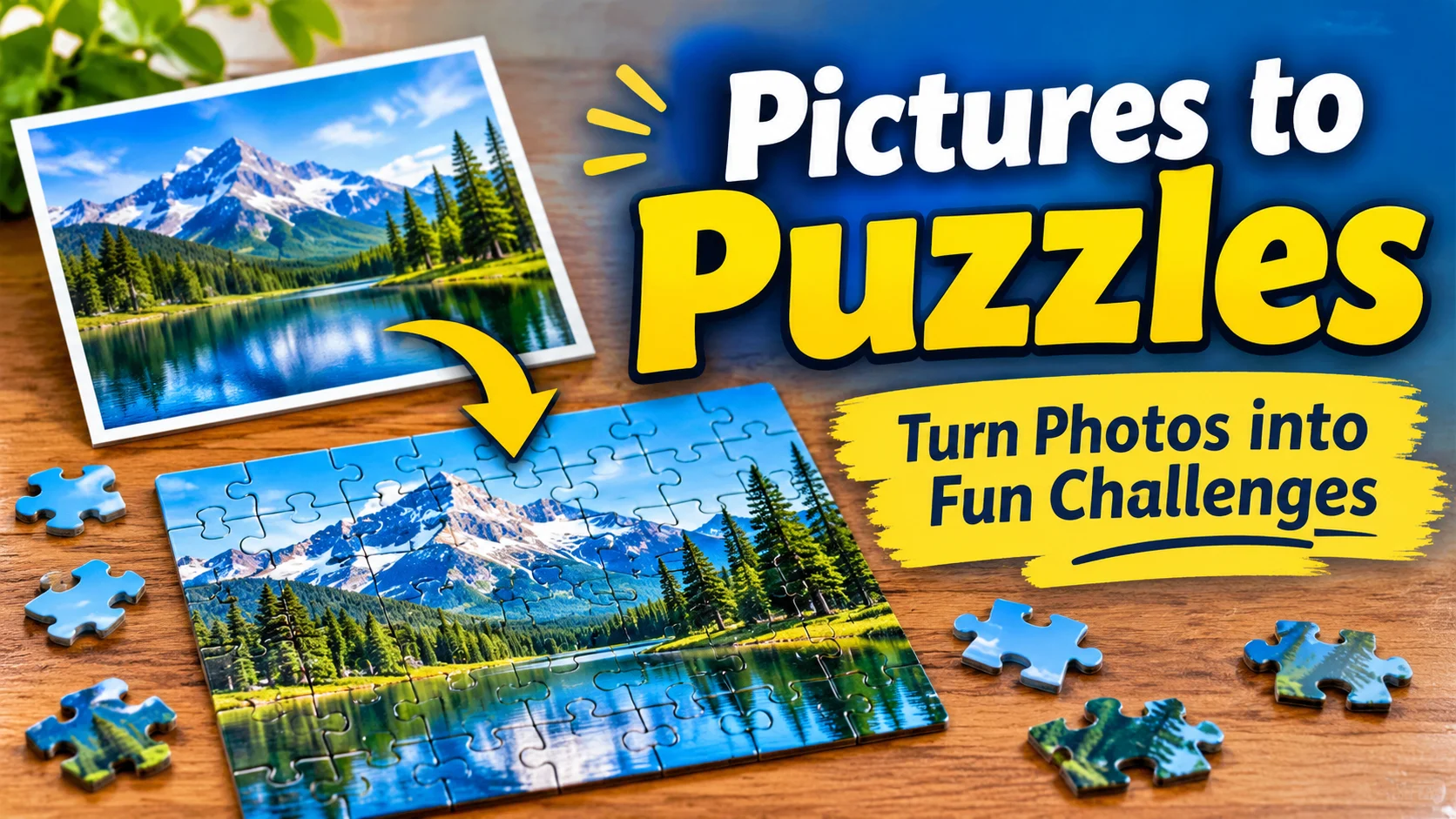
Pictures to puzzles is the process of transforming an ordinary photograph or image into a puzzle that people can solve. You can upload a picture to an online puzzle maker, select the number of pieces, and create a digital jigsaw or printable puzzle to enjoy at home, school, or with friends.
Have you ever looked at a favorite photograph and wondered what it would look like as a jigsaw puzzle? Turning pictures to puzzles is a creative way to transform ordinary images into enjoyable activities. You can use family photographs, holiday memories, beautiful landscapes, pet pictures, drawings, or educational images.
The process is easier than many people expect. With a picture puzzle maker, you can upload an image, choose the number of pieces, and generate a puzzle in just a few steps. Depending on the tool, you can solve it directly on your computer or phone, share it with others, or download a printable version. This guide explains how to create picture puzzles, select suitable images, choose difficulty levels, and make the experience more enjoyable.
What Does Pictures to Puzzles Mean?
Pictures to puzzles means converting an existing image into separate pieces that must be arranged to recreate the original picture.
The most familiar example is a jigsaw puzzle. A complete photograph is divided into smaller interlocking sections. Players examine colors, shapes, patterns, and image details to determine where each piece belongs.
For example:
- A photograph of a cat can become a 24 piece puzzle.
- A landscape photograph can become a 100 piece puzzle.
- A child’s drawing can become a simple printable puzzle.
- A family photograph can become a personalized digital jigsaw.
The main idea is simple: start with a complete picture, divide it into pieces, and reconstruct the original image.
How to Turn Pictures Into Puzzles Online
Creating a picture puzzle online is one of the easiest methods because you do not need to cut the image manually.
Follow these steps:
Step 1 Choose Your Picture
Select an image from your phone, computer, or tablet.
You can use:
- Family photographs
- Pet pictures
- Nature photography
- Travel photographs
- Children’s drawings
- Educational illustrations
- Favorite artwork that you have permission to use
Choose an image with clear details and good lighting.
Step 2 Open an Online Puzzle Maker
Visit an online photo puzzle generator.
Some examples include:
- JigsawMake Photo Puzzle Maker – Creates printable photo jigsaws and offers different piece styles.
- Foto Jockovic Puzzle Maker – Offers several puzzle formats and downloadable cut files.
- PuzzleSnap – Allows users to create and play digital photo puzzles.
- Kids Create Puzzle Maker – Provides a printable puzzle option for children’s drawings.
Features and privacy practices vary, so check the individual website before uploading personal photographs.
Step 3 Upload Your Image
Find the upload option and select your photograph.
Commonly supported formats include:
- JPG or JPEG
- PNG
- WebP
Some tools support additional formats.
If necessary, crop the image so the main subject remains visible.
Step 4 Select the Number of Pieces
Choose a piece count based on the intended difficulty.
A small number of pieces creates a simpler activity, while a larger number generally makes the puzzle more challenging.
Step 5 Generate Your Puzzle
Click the create, generate, or start option.
The tool divides your picture into puzzle pieces. Depending on the website, you may be able to drag and connect the pieces immediately.
Step 6 Play, Share, or Print
Depending on the available features, you can:
- Solve the puzzle online.
- Share a puzzle link.
- Download a puzzle image.
- Download a printable PDF.
- Export a cutting template.
Not every puzzle maker provides all these options.
Digital Pictures to Puzzles vs. Printable Pictures to Puzzles
There are two main ways to enjoy a picture puzzle.
1. Digital picture puzzles
These puzzles are created and solved on a computer, tablet, or mobile phone. You move the pieces using a mouse, touchscreen, or other supported controls.
Best for: Online entertainment, sharing with friends, and quick puzzle activities.
2. Printable picture puzzles
These puzzles are downloaded and printed on paper or cardstock. You cut along the puzzle lines and arrange the pieces by hand.
Best for: Classrooms, family activities, crafts, and offline entertainment.
Which Option Should You Choose?
| Feature | Digital | Printable |
| Equipment | Phone or computer | Printer and paper |
| Cutting required | No | Yes |
| Playing method | Drag and arrange | Handle physical pieces |
| Sharing | Often through links | Share the printed copy |
| Best use | Online entertainment | Hands-on activities |
If you enjoy screen based activities, choose digital puzzles. If you prefer physical games, printable puzzles are a good option.
How Many Pieces Should Your Picture Puzzle Have?
The ideal number of pieces depends on the picture, the player’s experience, and the available puzzle tool.
Here is a general difficulty guide:
Very Easy
Beginners
4–9 pieces
Suitable for young children and first time puzzle solvers.
Easy
12-25 pieces
Good for casual players and short activities.
Medium
36–100 pieces
Offers more challenge through smaller pieces and detailed images.
Hard
150–500+ pieces
Suitable for experienced players who enjoy longer challenges.
These are suggested ranges, not universal difficulty standards. Actual difficulty depends on image detail, piece shape, and puzzle design.
What Pictures Make the Best Puzzles?
Not every photograph produces an equally enjoyable jigsaw puzzle.
The best pictures usually have enough visual detail to help players recognize individual sections.
1. Nature Pictures
Nature photographs are excellent choices because they contain different colors, textures, and natural patterns.
Examples:
- Flowers
- Mountains
- Waterfalls
- Forests
- Birds
- Gardens
2. Animal and Pet Pictures
Animals make interesting puzzle subjects, particularly when the photograph includes a recognizable face and detailed surroundings.
Examples:
- Dogs
- Cats
- Rabbits
- Butterflies
- Birds
- Farm animals
3. Family and Travel Photographs
Personal photographs can make puzzles more meaningful because players recognize familiar people and places.
Examples:
- Birthday celebrations
- Family gatherings
- Holiday memories
- Historical buildings
- Famous landmarks
Always consider consent and privacy before uploading photographs of other people to an online service.
4. Children’s Drawings
A child’s drawing can become a personalized puzzle. This is particularly useful for creative classroom activities and family games.
5. Educational Pictures
Teachers can turn suitable educational illustrations into puzzles.
Examples:
- Solar system diagrams
- Maps
- Animal illustrations
- Alphabet pictures
- Historical scenes
- Geography illustrations
For learning activities, let students reconstruct the picture and then discuss what it represents.
Creative Ways to Use Pictures to Puzzles
Turning photographs into jigsaws is only one possibility. You can use picture puzzles in several creative situations.
Picture Puzzles for Kids
Children can use picture puzzles to practice:
- Recognizing shapes
- Matching colors
- Observing details
- Identifying objects
- Following instructions
- Solving problems
Start with simple illustrations and fewer pieces. Gradually introduce more complex images.
Family Picture Puzzle Challenges
Choose a family photograph and turn it into a puzzle. Family members can work together to reconstruct the picture.
You can also introduce a friendly challenge by seeing which team completes its puzzle first.
Classroom Picture Puzzle Activities
Teachers can use picture puzzles as classroom activities.
For example:
- Select a picture related to the lesson.
- Convert it into a puzzle.
- Print the puzzle.
- Divide students into small groups.
- Ask each group to reconstruct the image.
- Discuss the subject shown in the completed picture.
This makes classroom learning more interactive.
Personalized Picture Puzzle Gifts
A photograph of a memorable occasion can become a personalized gift.
Possible occasions include:
- Birthdays
- Anniversaries
- Family celebrations
- Graduations
- Weddings
- Holidays
For a physical gift, consider a professional printing service if you want durable puzzle pieces.
How to Make a Printable Picture Puzzle at Home
You can make a simple physical puzzle without purchasing a commercial jigsaw.
Materials needed:
- A photograph or printed image
- Printer
- Cardstock or thick paper
- Scissors
- Glue
- Pencil
Instructions:
- Select a suitable photograph.
- Print the image on paper or cardstock.
- Attach the image to a thicker backing if necessary.
- Draw puzzle like cutting lines on the back.
- Carefully cut along the lines.
- Mix the pieces together.
- Try to reconstruct the original image.
Helpful tip: For younger children, use fewer pieces with larger shapes. Adults should supervise cutting activities, particularly when scissors are involved.
Tips for Creating Better Picture Puzzles
A good puzzle begins with a good image. Follow these practical suggestions:
1. Choose a high quality image. Blurry pictures make it harder to recognize details.
2. Avoid large empty spaces. Areas containing only sky, water, or a single color can make puzzles more difficult.
3. Keep the main subject visible. Avoid cropping important faces or objects.
4. Match the difficulty to the player. Beginners should start with fewer pieces.
5. Use contrasting colors. Different colors and patterns make sections easier to identify.
6. Choose the right format. Digital puzzles are convenient, while printable puzzles offer a hands on experience.
7. Check image permissions. Use your own photographs or images that you have permission to reproduce.
8. Check privacy settings. Before uploading personal pictures, determine whether the website stores, shares, or deletes uploaded images.
Common Mistakes to Avoid
| Mistake | Better approach |
| Choosing a blurry image | Use a sharp, clear photograph |
| Selecting too many pieces | Start with a manageable number |
| Cropping important details | Keep the main subject visible |
| Ignoring file compatibility | Check supported image formats |
| Using copyrighted images without permission | Choose images you own or can legally use |
| Uploading private photos without checking policies | Review the website’s privacy information |
| Printing on very thin paper | Use cardstock for better durability |
Pictures to Puzzles: Frequently Useful Resources
If you want to experiment with different ways of making picture puzzles, these resources provide useful starting points:
- JigsawMake for printable photo puzzles.
- Foto Jockovic for different puzzle formats.
- Kids Create for puzzles made from children’s drawings.
- Apollo Templates for printable jigsaw formats.
Check current features, download options, and privacy terms before choosing a service.
FAQs
1. What does pictures to puzzles mean?
Pictures to puzzles means converting photographs, drawings, or other images into puzzle pieces. These pieces can be arranged to recreate the original image. The process can produce digital jigsaw games or printable puzzles for home, school, and entertainment.
2. How can I turn a picture into a puzzle?
Choose a photograph, open an online photo puzzle maker, and upload your image. Select the number of pieces and puzzle style, then generate the puzzle. Depending on the tool, you can play online, share it, or download a printable version.
3. Can I turn my own photos into jigsaw puzzles?
Yes. You can use your own photographs, including family pictures, pet photographs, holiday memories, and landscapes. Upload an image to a compatible puzzle maker and customize the number of pieces. Always check the website’s privacy practices before uploading personal photographs.
4. Can I make picture puzzles for free?
Yes. Several online tools offer free picture puzzle creation. For example, JigsawMake and PuzzleSnap advertise free photo puzzle features. However, available features, file limits, and download options may differ, so check the current terms of each service.
5. Can I turn pictures into printable puzzles?
Yes. Some puzzle generators create downloadable files with puzzle cutting lines. You can print these files on paper or cardstock, cut along the lines, and rearrange the pieces to reconstruct your original photograph.
6. Which pictures are best for making jigsaw puzzles?
Photographs with different colors, recognizable objects, and interesting details generally make enjoyable jigsaw puzzles. Animals, flowers, landscapes, family photographs, and colorful illustrations are popular choices. Avoid blurry images and pictures with large areas of identical color.
7. How many pieces should a beginner picture puzzle have?
Beginners can start with approximately 4–25 pieces, depending on their age and experience. More experienced players may prefer 50, 100, or several hundred pieces. Remember that image complexity also affects difficulty.
8. Can children make picture puzzles from their drawings?
Yes. A child’s drawing can be photographed or scanned and converted into a printable jigsaw puzzle. Children can then reconstruct their own artwork. This creates a fun creative activity and encourages observation, shape recognition, and problem solving.
9. Are digital picture puzzles better than printable puzzles?
Neither option is universally better. Digital puzzles are convenient because they can be played on electronic devices without cutting or printing. Printable puzzles provide a hands on experience and are useful for classroom activities, crafts, and family entertainment.
10. Are uploaded pictures safe when using online puzzle makers?
Privacy depends on the individual service. Some tools process images directly in your browser, while others upload photographs to their servers. Read the privacy policy, check storage and deletion practices, and avoid uploading sensitive or private photographs to unfamiliar websites.
Conclusion
Turning pictures to puzzles is a simple and creative way to make ordinary photographs more enjoyable. Whether you choose a family picture, a beautiful landscape, an animal photograph, or a child’s drawing, you can transform it into a digital or printable jigsaw activity. Start with a clear image, select a suitable number of pieces, and choose a format that matches your needs. You can enjoy these puzzles individually, with friends, at home, or in the classroom. Once you understand the process, almost any suitable photograph can become an interesting new puzzle challenge.

Mason Reed is a puzzle writer and enthusiast at Puzzlenexa.com, where he creates engaging puzzles, brain teasers, riddles and problem-solving challenges. His goal is to make every puzzle enjoyable, thought-provoking and rewarding for readers of all ages.